
The face of online learning has changed how people acquire new skills. Whether it’s a coding course or a language course, online learning has opened the world to students. The only challenge that online learning platforms face is how to make their instructors appear friendly and relatable.
That’s where an AI avatar generator can prove to be a real game-changer for online learning platforms. Instead of using the usual profile picture for instructors, online learning platforms can use an AI avatar generator to create unique avatars for their instructors.
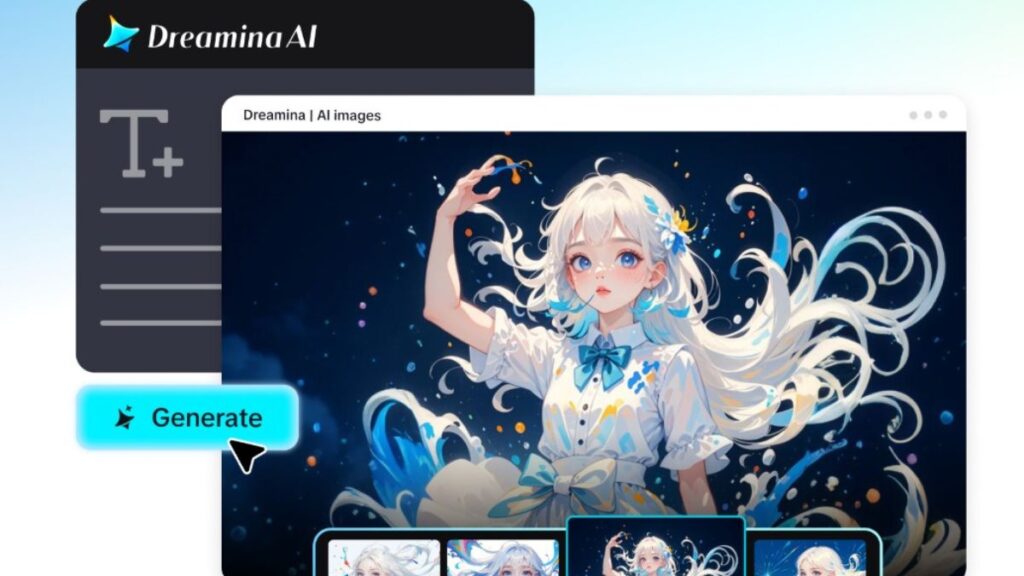
With the help of Dreamina, online learning platforms can create unique avatars for their instructors that can be both professional and appealing to students. In this article, we will show how an AI avatar generator can help online learning platforms in four different ways.
Why instructor visuals matter in online learning
In a physical classroom setting, students get connected to their instructors by their facial expressions and personality. In an online classroom setting, that’s difficult.
A good instructor avatar helps bridge this gap by providing a learner with a clear visual image of the instructor teaching them. Instead of anonymous course pages, students get a recognizable instructor identity that provides personality to the course material.
A good instructor visual image conveys:
- Professionalism and expertise
- Friendliness and approachability
- Clarity and confidence in teaching
- A welcoming learning environment
These visual cues help make online courses feel more human and interactive.
4 creative ways instructor avatars can be used by course platforms
Building consistent instructor profiles across courses
In most course platforms, there are dozens or even hundreds of instructors teaching different courses. Without visual consistency, instructor profiles may not be recognizable.
Incorporating AI-generated instructor avatars helps create a visual consistency among instructor profiles without sacrificing individuality. For instance, all instructors could be depicted in a modern learning environment wearing different attire based on their teaching subjects. This helps learners quickly identify instructors across the platform.
Create subject-themed instructor identities
Courses may need different instructor personalities. For a programming course, the instructor may be depicted in a digital space filled with computer screens showing coding sessions. For a design course, the instructor may be depicted in a design studio environment.
Subject-themed avatars help in further visualizing the course topic.
Some possible scenarios:
- A marketing instructor depicted in a modern office setting
- A science instructor depicted in a science lab setting
- A design instructor depicted in a design studio setting
These visual elements make course pages more interesting and easier to remember.
Introduce instructors in course preview videos
Some course platforms feature a course preview video where instructors introduce their course. Avatars can be used for instructor representation in these videos. This is especially useful if instructors need to be depicted consistently for multiple courses.
For some artistic projects, educators may also experiment with artistic scenes that display teamwork, collaboration, or emotional bonding in a learning environment. In some artistic projects, designers may also experiment with artistic ideas intended to symbolize collaboration or the celebration of success between a mentor and a student character. These artistic scenes are meant to add a lively touch to the learning environment.
Strengthen platform branding with visual storytelling
Avatars not only represent the instructors but also contribute to creating a strong brand for the platform.
For example, some course platforms may create a strong brand for their website using AI logo generator tools, ensuring that all components of the platform, including the platform’s logo, avatars, and course content, are visually appealing and have a consistent style. This helps create a strong brand that is visually appealing and professional.
Create your digital instructor identity with Dreamina
Creating a digital instructor avatar may seem like a complex task, but Dreamina breaks it down into a simple three-step process. By describing your concept, creating visuals, and refining your design, you can easily create professional avatars for your course platforms in just minutes.
Step 1: Write a text description
To begin, you will need to go to Dreamina’s creation interface. Rather than choosing from a variety of templates, you will write a detailed prompt describing what you want your avatar to look like. This includes clothing, pose, and environment, as you want your avatar to look like a professional in a teaching environment.
For example, you could write: Create a confident online course instructor standing in a modern digital classroom with interactive screens and educational graphics in the background. The instructor is wearing smart-casual clothing, such as a blazer and a comfortable shirt, holding a tablet used for teaching online lessons. The environment features warm lighting, clean design, and a welcoming learning atmosphere, perfect for a professional online course platform.
This type of prompt will give Dreamina a chance to create a realistic avatar for you, depicting an educator in a digital learning environment.
Step 2: Refine parameters and generate
Now that you have your prompt ready, you can adjust the design settings to fine-tune the output. You can choose your desired model, select an appropriate aspect ratio for profile images or course thumbnails, and select the size and resolution to either 1K or 2K for better visuals. Once you have made all the necessary changes to the settings, you can click on the Dreamina icon to generate the instructor avatar.
Step 3: Edit and download
Once you have your instructor avatar designed, you can fine-tune it using Dreamina’s AI-powered customization tools. You can use the inpaint feature to adjust the design of the avatar, expand to adjust the space of the avatar, remove to remove any unwanted parts of the design, and retouch to adjust the lighting effects.
Once you have fine-tuned your design to perfection for the platform, you can click on the Download icon to save the design for your instructor or course.
Making instructor avatars part of the learning experience
Once avatars have been created, the platform can make use of them. This makes for a consistent and engaging visual experience for students.
Instructors can use their avatars in:
- The introduction section of the course
- Lesson thumbnails
- Instructor profiles
- Marketing for new courses
Over time, students start to link these avatars to specific instructors and topics. The visual familiarity makes for a stronger connection between students and instructors.
Expanding creative storytelling using AI-generated visuals
Online learning platforms are no longer restricted to using simple graphics or instructors’ photographs. Many learning platforms are now using AI-generated visuals to make their learning content more dynamic and exciting.
For instance, designers can generate visual stories for marketing campaigns, landing pages, or social promotions. The visuals can include scenes such as moments of teamwork, celebrations after completing a learning course, or the excitement of learning milestones.
Designers can now explore various themes, such as AI kissing image concepts, in digital storytelling. The AI-generated visuals are used to represent themes such as appreciation, celebrations, or emotional connections between characters in creative marketing content.
Although these scenes are not used for the learning content, they show the potential for using AI-generated visuals to expand the visual storytelling for learning platforms. The creative visuals can be used effectively to make marketing campaigns more memorable and distinctive.
Final thoughts: build engaging course platforms with Dreamina
The success of online learning depends on how connected students feel to their instructors. Visual storytelling is a key contributor to this.
With the use of the AI avatar generator, the course creators can develop interesting instructor profiles that are professional, inviting, and visually consistent. Dreamina makes it easy for creators to do so by offering the option to create avatars with simple prompts, edit them with the power of AI, and download visually appealing images with minimal steps.
Whether you are launching a new e-learning site or expanding your existing library of courses, Dreamina can be a great option for creating instructor avatars that can add interest to your learning environment for students all over the globe.